
Here’s the truth nobody tells you about choosing an LMS: the marketing pages all sound the same.
“Intuitive interface.” “Powerful features.” “Perfect for beginners and experts alike.”
But when you actually log in and try to build your first course? That’s when you discover whether a platform truly delivers or just delivers headaches.
That’s exactly why smart course creators start with free versions. Just you, the dashboard, and a real test drive; whether this tool will help or slow you down.
MasterStudy LMS free and Creator LMS free both offer solid free options, you can actually experience the tools before making any commitment.
I’ll walk you through this comparison article about what you actually get with each free version.
Let’s get started,
Creator LMS & MasterStudy LMS: At a Glance
Before we begin, let’s quickly introduce the two WordPress LMS plugins.
MasterStudy LMS isn’t new to the game. It’s been around long enough to build a reputation as a feature-rich LMS plugin that doesn’t hold back even in its free version. If you’ve spent time researching WordPress LMS tools, you’ve probably seen it mentioned more than once.
Creator LMS, on the other hand, just arrived in 2025. It’s the newcomer with a clear mission: strip away the clutter and give course creators exactly what they need to launch and scale without the usual overwhelm.
Both plugins offer free and premium tiers. Both work well for educators, coaches, and trainers. And both are capable of running a full online course business right from your WordPress site.
But capability doesn’t mean they feel the same to use. In the sections ahead, we’ll break down what you actually get with MasterStudy LMS Free vs Creator LMS Free feature by feature.
Let’s have a look,
Creator LMS Free & MasterStudy LMS Free Feature Comparison
Initial Setup
Neither plugin makes you figure things out from scratch.
Both MasterStudy LMS and Creator LMS include setup wizards that guide you through the initial configuration. If you’re launching your first course site, this kind of hand-holding matters.
The wizards let you toggle features on or off based on what you need, while the plugin handles the backend setup automatically. You won’t accidentally skip something critical. The goal is the same for both: get your LMS live with minimal friction.
The experience is smooth on both sides, so setup alone won’t be the deciding factor here.
| Feature | Creator LMS Free | MasterStudy LMS Free |
|---|---|---|
| Setup Wizard | ✅ | ✅ |
| Direct Migration From Other LMS | ✅ | ✅ |
| Theme | ❌ (Upcoming) | Requires Pro |
| Demo Course | ❌ | ✅ |
Course Builder
Both plugins use a dedicated course builder, keeping course creation separate from the WordPress eWhen it comes to building courses, both plugins step outside the standard WordPress editor and give you a dedicated course builder instead.
MasterStudy LMS uses a structured, 3-step process:
- Enter your course basics
- Build your curriculum (lessons and quizzes)
- Adjust settings and options
Creator LMS follows a similar course-building path, but the interface feels noticeably lighter. Lessons, quizzes, and settings are laid out with more breathing room.
This makes navigating larger courses less overwhelming. You are focused on one thing only. If you’re managing multiple modules or complex curricula, that extra clarity starts to matter. Also, you get multiple lesson options and settings to make the materials more interesting.
Course Creation
| Feature | Creator LMS Free | MasterStudy LMS Free |
|---|---|---|
| Separate Course Builder | ✅ | ✅ |
| Chapters / Sections | ✅ | ✅ |
| Lessons (Video, Text) | ✅ | ✅ |
| Thumbnail Image | ✅ | ✅ |
| Featured Video | ✅ | ❌ |
| Audio Lessons | ✅ | ❌ |
| Lesson Preview | ✅ | ❌ |
| Course Prerequisites | ✅ | ❌ |
| PDF Lesson | ✅ | ❌ |
| Individual Lesson Material | ✅ | ✅ |
Both plugins give you a dedicated quiz builder in the free version – no paywall here.
But the experience isn’t identical.
MasterStudy LMS offers more quiz question types and makes it easier to add quizzes directly into your course flow. The flexibility is noticeable, especially if you want to vary your assessments.
Creator LMS leans more toward detailed quiz configuration within the course settings. It’s thorough, but it can feel like you’re digging through options rather than quickly building.
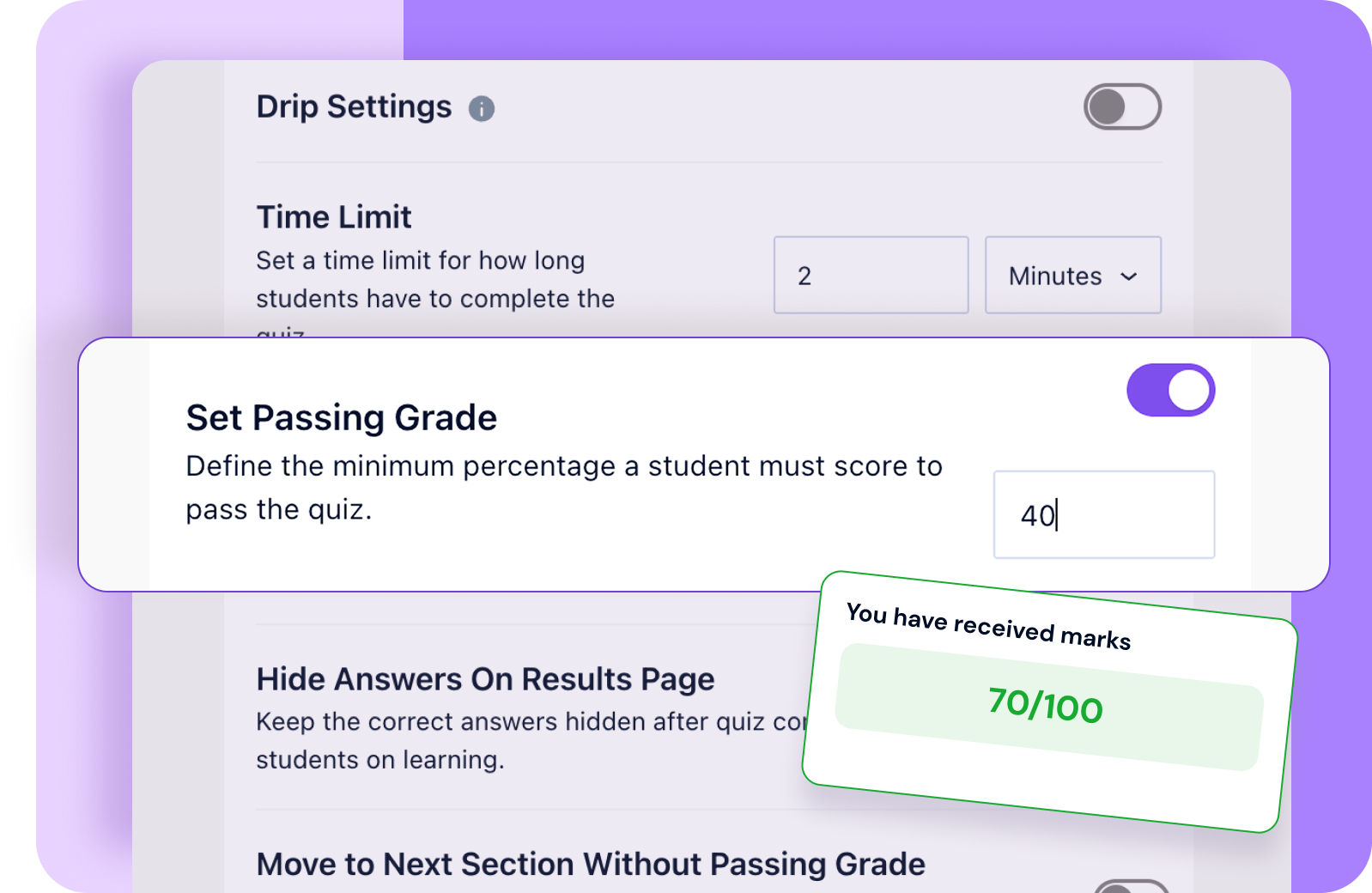
You’ll find the details in the following table,
Quiz Builder
| Feature | Creator LMS Free | MasterStudy LMS Free |
|---|---|---|
| Quiz Builder | ✅ | ✅ |
| Question Types (Single Choice, True/False, Multiple Answers) | ✅ | ✅ |
| Short Text | ✅ | ❌ |
| Long Text | ✅ | ❌ |
| Fill In The Gaps | ❌ | ✅ |
| Matching, Image Matching | ❌ | ✅ |
| Add Images and videos in the Questions | ✅ | ❌ |
| Allowed Attempts | ✅ | ✅ |
| Quiz Grade Calculation | ✅ | ✅ |
| Randomize Q&A | ❌ | ✅ |
| Retake points cut | ❌ | ✅ |
One bigger difference: Creator LMS includes certificate support in its free version. MasterStudy LMS either limits this feature or locks it behind the pro plan which could be a dealbreaker if certificates are part of your course completion strategy.
Course Settings
| Feature | Creator LMS Free | MasterStudy LMS Free |
|---|---|---|
| Password Protection | ✅ | ✅ |
| Student Capacity | ✅ | ❌ |
| Public Course Without Enrollment | ✅ | ✅ |
| Course Duration | ✅ | ✅ |
| Course Level | ✅ | ✅ |
| Pricing (Free, Paid, Sale) | ✅ | ✅ |
| Course Retake | ✅ | ❌ |
| Course Materials | ✅ | ✅ |
| Certificates | ✅ | ❌ |
| Categories and Tags | ✅ | ✅ |
| Course Status | ❌ | ✅ |
| Featured Course | ❌ | ✅ |
| Course Expiration | ❌ | ✅ |
| FAQ | ❌ | ✅ |
That’s it for the Course Builder and its in-depth feature comparison.
Now, let’s proceed to the payment settings for both tools.
Native eCommerce
Selling courses means handling payments, and how each plugin approaches this varies.
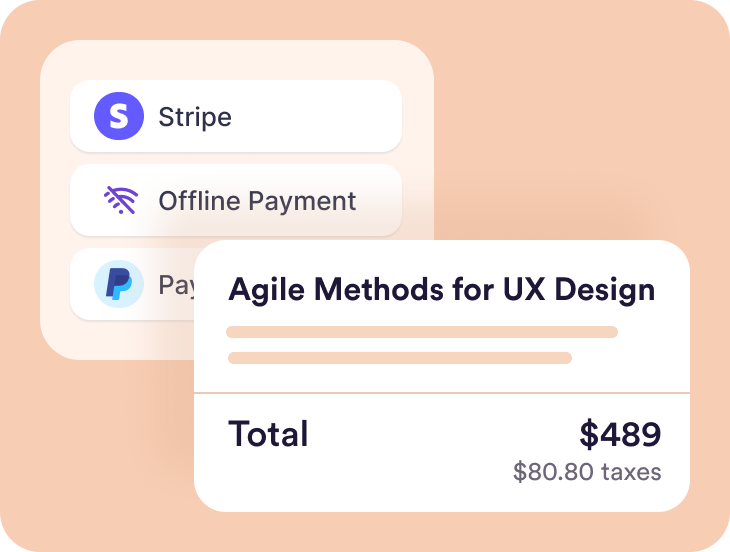
MasterStudy LMS has its own built-in eCommerce system. It’s a relatively recent addition, so it’s still maturing.
The upside? You’re not locked into WooCommerce or another third-party plugin. The downside? It doesn’t have the polish or ecosystem support that more established solutions offer.
Creator LMS also includes native cart and checkout functionality right out of the box. No WooCommerce required. For beginners who just want to launch and sell without configuring extra plugins, this simplicity is a real advantage.
| Feature | Creator LMS Free | MasterStudy LMS Free |
|---|---|---|
| Built-In Cart | ✅ | ✅ |
| Taxes | ✅ | ❌ |
| Coupons | ✅ | ❌ |
| Stripe | ✅ | ✅ |
| Mollie | ✅ | ❌ |
| PayPal | ❌ | ✅ |
| Multi-Currency Support | ✅ | ✅ |
| Manual Payment | ✅ | ✅ |
| Checkout Layout | ✅ | ❌ |
| Order Dashboard | ✅ | ✅ |
| Taxes | ✅ | ❌ |
Analytics & Reports
Once your course goes live, you’ll want to know how it’s performing.
Here’s where MasterStudy LMS shows a clear limitation in its free version: there’s no built-in analytics or reporting. Tracking individual student progress or course performance isn’t part of the package unless you upgrade.
Creator LMS includes basic analytics in the free plan. It’s not advanced, but it covers the essentials. They are enough to understand what’s working and where students might be struggling. That visibility can shape how you improve your courses over time.
| Feature | Creator LMS Free | MasterStudy LMS Free |
|---|---|---|
| 30 Day Earning Report | ✅ | ❌ |
| All-Time Course Earning (Individual Courses) | ✅ | ❌ |
| Course Details | ✅ | ❌ |
Student Engagement

Keeping students engaged directly impacts completion rates.
MasterStudy LMS Free offers public announcements, which let you broadcast updates to all enrolled students. It’s functional, but somewhat one-directional.
Creator LMS focuses more on personalized, direct engagement even in the free tier. If building closer relationships with your learners matters to you from day one, this approach gives you more tools to do that.
| Feature | Creator LMS Free | MasterStudy LMS Free |
|---|---|---|
| Course Reviews | ✅ | ✅ |
| Customizable Automated Emails | ✅ | ❌ |
| Notice | ❌ | ✅ |
Course Design, Control & Settings
This is where the two plugins start to feel meaningfully different.
Creator LMS Free keeps frontend customization fairly minimal. The design is clean and straightforward, but you won’t get deep control over how course pages look to students. The focus is clearly on simplicity over flexibility.
MasterStudy LMS gives you limited template options in the free version. If presentation matters the most to you and you want more control over how your course site appears, you can try it out with a free template.
That said, if you’re comparing builder layouts and ease of use, Creator LMS feels more intuitive. But if you need industry-specific templates or a wider range of design starting points, MasterStudy LMS has the edge.
Course Design Settings
| Feature | Creator LMS Free | MasterStudy LMS Free |
|---|---|---|
| Course Listing Page Layout | ✅ | ❌ |
| Archive Page Card Style | ❌ | ✅ |
| Search Bar | ✅ | ❌ |
| Course Filter & Sorting | ✅ | ❌ |
| Lazy Loading | ❌ | ✅ |
| Presto Player | ❌ | ✅ |
| Course List / Grid | ✅ | ✅ |
| Course Per Page | ✅ | ✅ |
| Course Details Page Layout | ✅ | ❌ |
| Branding Colors | ✅ | ✅ |
| Gutenberg & Elementor | ✅ | ✅ |
| Divi Builder | ❌ | ✅ |
| Bricks Builder | ✅ | ❌ |
| WPBakery | ✅ | ❌ |
Now, if we talk about course controls, MasterStudy LMS offers more options in controlling the course settings. It has built-in instructor profile, which is lacking in Creator LMS.
Default Course Settings
| Feature | Creator LMS Free | MasterStudy LMS Free |
|---|---|---|
| Course Archive Page Customization | ✅ | ✅ |
| Checkout Page Customization | ✅ | ❌ |
| Student Dashboard Customization | ✅ | ❌ |
| Terms & Conditions Customization | ✅ | ✅ |
| Google reCAPTCHA | ❌ | ✅ |
| Permalink Settings | ✅ | ❌ |
| Course Autocomplete | ✅ | ✅ |
| Course Retake | ✅ | ✅ |
| Instructor Profile and Settings | ❌ | ✅ |
| Marketplace | ❌ | ✅ |
| Course Player | ❌ | ✅ |
Creator LMS Free vs MasterStudy LMS Free: Which One Makes More Sense in 2026?
When you’re comparing the free versions of these two plugins, the question isn’t really about which one has more features on paper – it’s about how much you can actually do without patching together extra tools or decoding a cluttered interface.
MasterStudy LMS Free gives you a solid foundation, but here’s the catch: many of the practical, everyday use cases you’d expect from an LMS require external plugins or paid add-ons.
The interface itself can feel a bit overwhelming, with settings and options scattered across multiple screens. On top of that, you’re shown all these PRO features in the free version, which might feel really confusing. If you don’t mind spending time configuring integrations and navigating a less intuitive layout, it can work – but it’s not a plug-and-play experience.
Creator LMS Free takes a different approach. It’s built specifically for creators who want to launch and sell courses without dependencies. The interface is straightforward. There are no nested menus or guessing where a feature is. Core functionality like course creation, payments, basic analytics, and student communication is all included and easy to find. You’re not constantly redirected to install another plugin or upgrade to access something essential.
At a high level, the two plugins follow different philosophies:
- Creator LMS Free emphasizes simplicity, independence, and ease of navigation, letting you run a course business without juggling multiple third-party tools or learning a complex interface.
- MasterStudy LMS Free offers a modular setup with more design flexibility, but often requires additional plugins to enable standard LMS workflows. The interface can feel busier and less intuitive, especially for beginners.
This isn’t necessarily a competition but a choice based on how you prefer to work. If you enjoy piecing together a custom setup and don’t mind a steeper learning curve, MasterStudy LMS can be flexible.
But if you’d rather avoid plugin overload, skip the confusion, and get your course site running faster, Creator LMS delivers a cleaner, more focused experience.
Expert Recommendation – As a Product Manager
If I had to give a practical recommendation:
– New creators, coaches, and small businesses should start with Creator LMS Free, because it removes friction and gives course sellers essential tools without forcing upgrades.
– Agencies, designers, or teams who want to build marketplaces may prefer MasterStudy LMS Free, as they usually use a lot of external tools and they can easily switch between multiple tools to get their work done.
TL;DR
Bottom line: If you’re a creator who values independence, speed, and simplicity and you want an interface that doesn’t get in your way, starting with Creator LMS is probably the smarter first step.