

In this tutorial, we will learn how to sell an online course using a sales funnel built with WPFunnels and automatically enroll students into courses created with Creator LMS.
By integrating these two tools, you can create a complete LMS sales funnel where users can purchase a course through a funnel and get instant access to the course after completing the purchase.
Before moving to the integration process, make sure you have installed and activated the following plugins on your website:
- WPFunnels
- WPFunnels Pro
- WPFunnels LMS Integration
- Creator LMS
Step 1: Create a Course in Creator LMS
- Go to Creator LMS → Courses in your WordPress dashboard. Click Add New Course.
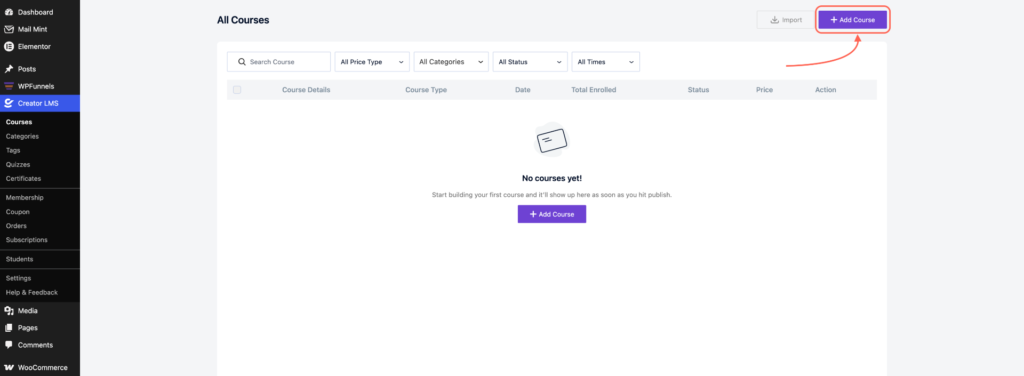
- If you are unsure how to create a course, refer to the Creator LMS course creation documentation for detailed instructions.
- After setting up your course, click the Publish/Update button.
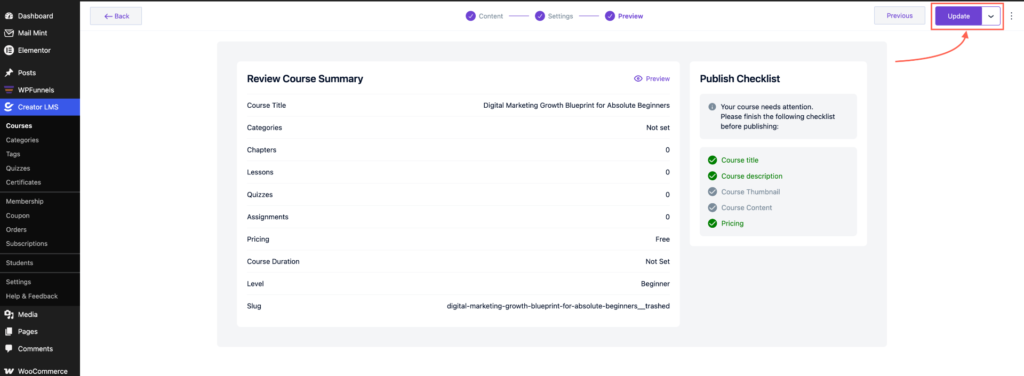
Step 2: Configure WPFunnels LMS Settings
- Ensure WPFunnels Pro and WPFunnels LMS Integration are installed and activated.
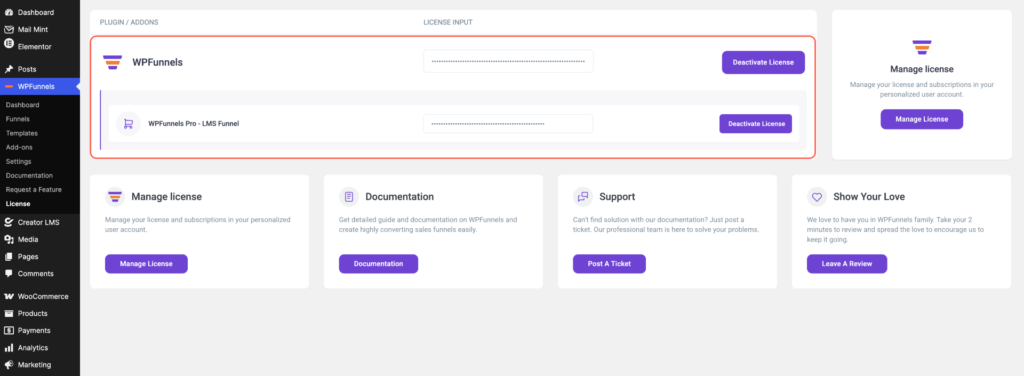
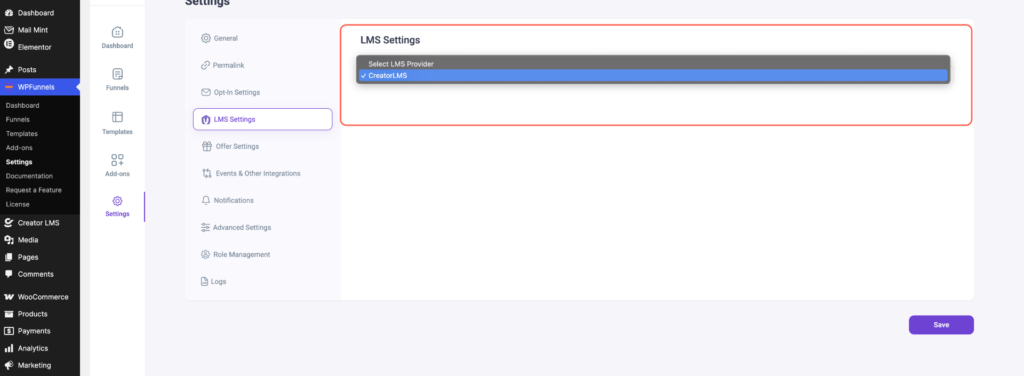
- Go to WPFunnels → Settings in your WordPress dashboard, then locate the LMS Settings tab.
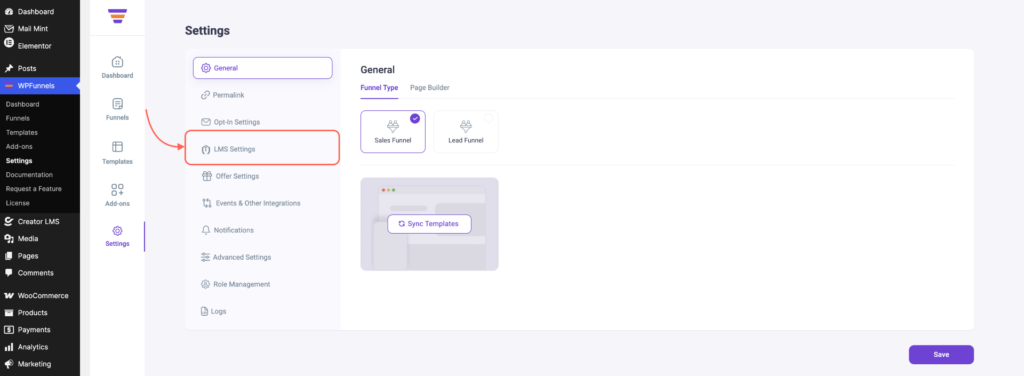
- Click LMS Settings and select Creator LMS from the list.
Step 3: Add a Course to a WPFunnels LMS Funnel
- Go to WPFunnels → Funnels and click Add New Funnel.
- Choose the funnel template type LMS Funnel.
Note: Do not choose Lead Funnel or Sales Funnel; the LMS features will not work with those types.
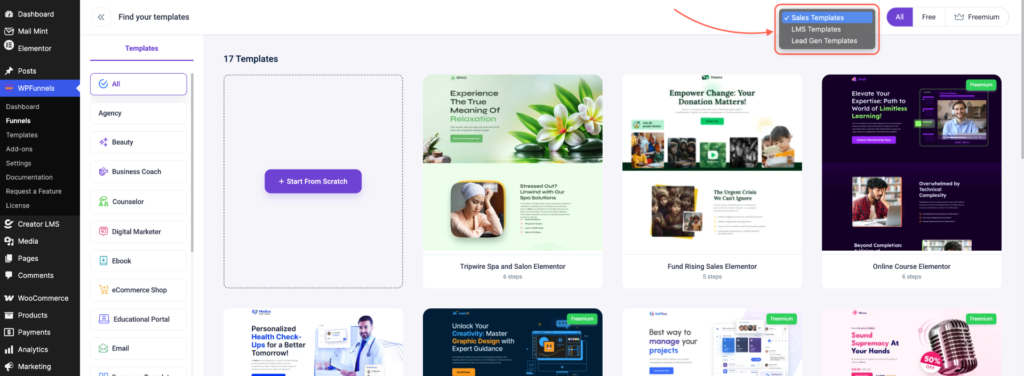
- Select either Start from Scratch or pick a Pre-made LMS Funnel. For this example, we will use a pre-made funnel.
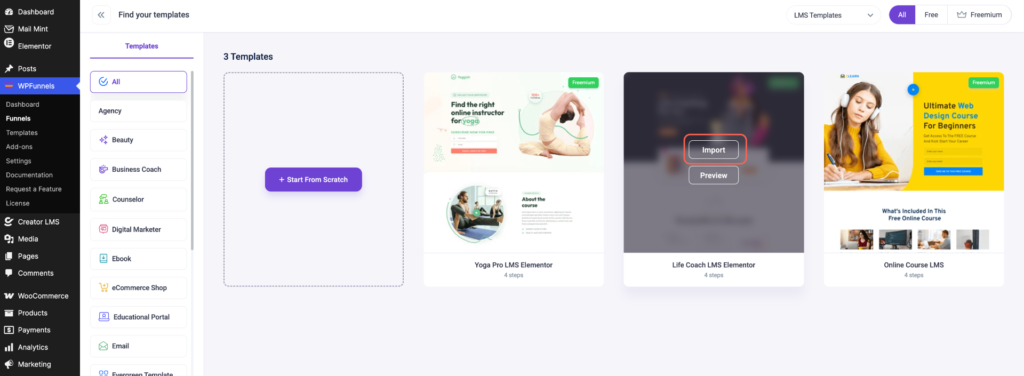
- Click Import to import the selected funnel.
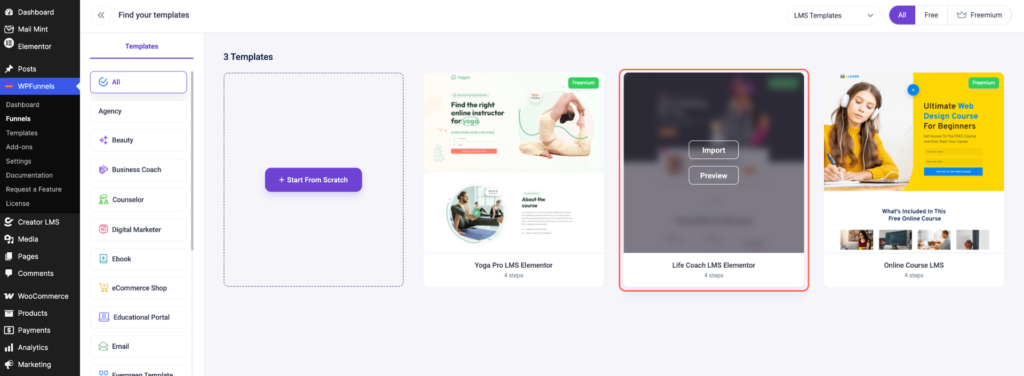
- In the funnel dashboard, locate the Checkout step and click the Cart Icon.
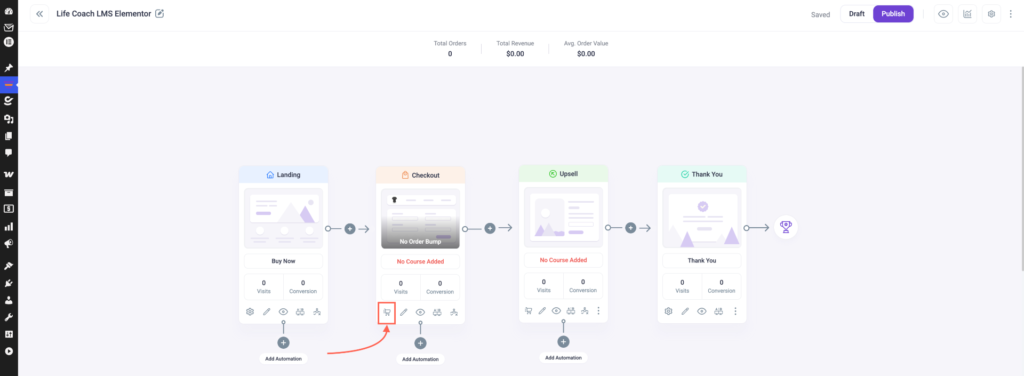
- Search for the course you published in Creator LMS and add it to the funnel.
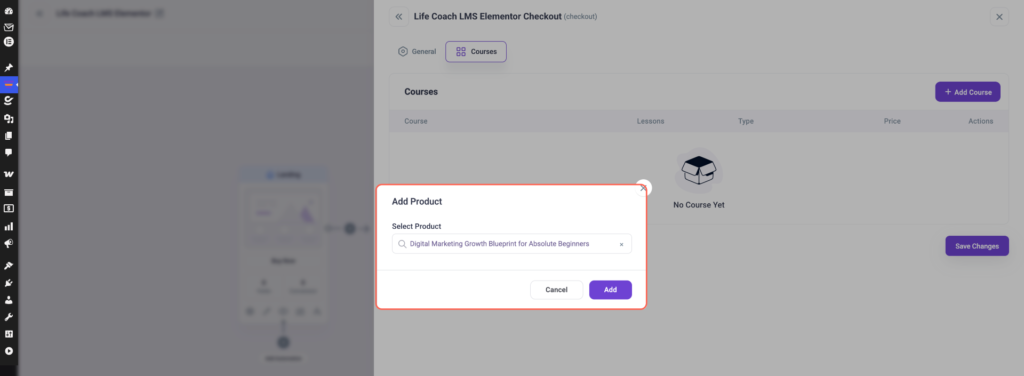
Step 4: Add Upsell or Downsell Courses (Optional)
- In the funnel dashboard, click the Cart Icon for the step where you want to add an upsell or downsell.
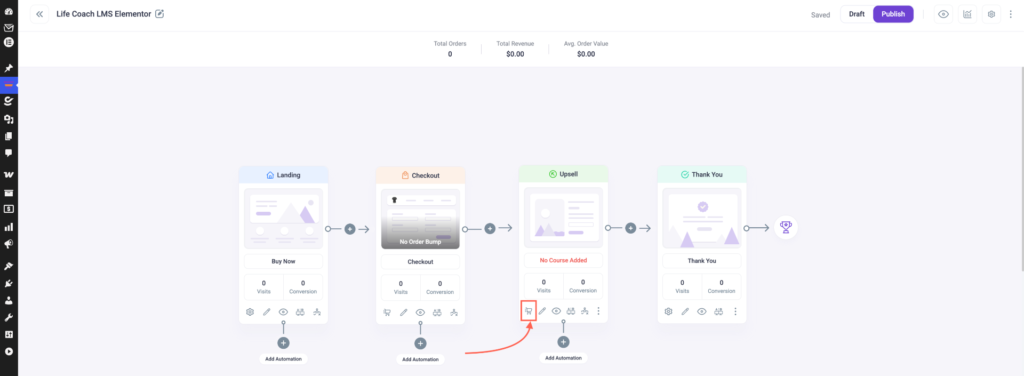
- Select the additional product/course you want to offer as an upsell or downsell.
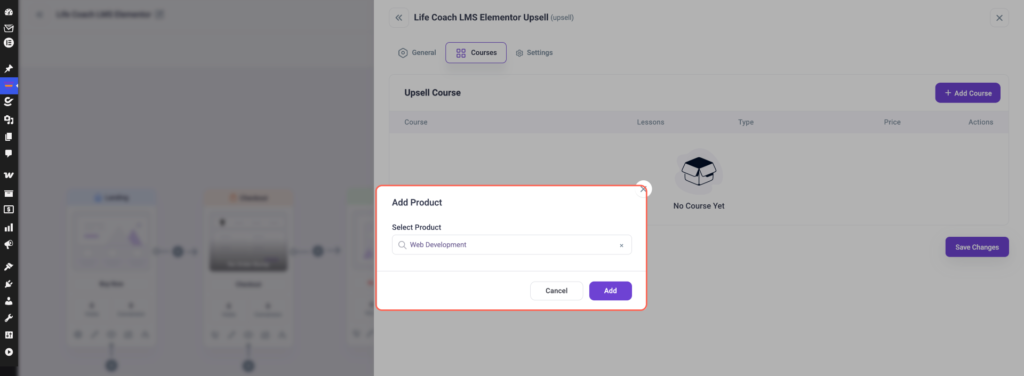
Your LMS sales funnel is ready to go. Students can purchase courses through the funnel and get automatically enrolled in Creator LMS.
