
Let’s be honest, online learning is no longer about selling a single course and hoping students finish it.
In fact, most people prefer to learn by themselves instead of purchasing self-paced courses. And people follow those whom they think they can get value from.
So, today’s most successful eLearning businesses focus on ongoing value, long-term engagement, and consistent learning experiences. That’s exactly why membership models for eLearning work best.
Instead of treating courses as one-time products, a membership model allows you to deliver continuous education, community access, and evolving resources – all under a recurring subscription.
Here’s a practical guide on how to use membership models for eLearning, with proven ways to structure, deliver, and grow them effectively.
What Is a Membership Model?
First, let’s talk about what a membership model is. You may already know, but how do you fit this with your eLearning business?
In this case, a membership model is how you structure your website to offer ongoing value in exchange for a recurring fee. Instead of selling a course once, you create a system where members keep getting access, updates, and support over time.
Your membership model usually covers:
- What kind of content, services, or resources do members get
- The subscription plans you offer
- How often are your members charged
- How do you stay connected with your members
The right membership model depends on what you’re offering.
For example, someone joining a “Marketing course” may want instant access and regular updates, while someone signing up for coaching expects guidance, interaction, and feedback.
That’s why choosing the right structure is crucial, as it sets the foundation for how your members learn and stay engaged.
1. Create a Central Learning Hub
A successful membership model starts with a central learning hub – a single destination where members know they’ll find everything they need to learn, practice, and grow.
Instead of selling scattered courses, your membership should feel like a structured platform. This hub can include:
- Multiple courses grouped by topic or skill level.
- A resource library with templates, checklists, guides, and downloads.
- Recordings of live workshops, webinars, or training sessions.
Example: A digital marketing educator might offer SEO, content marketing, and analytics courses under one membership. Instead of buying each course separately, members pay once and access the entire ecosystem – making the membership feel far more valuable than a single course.
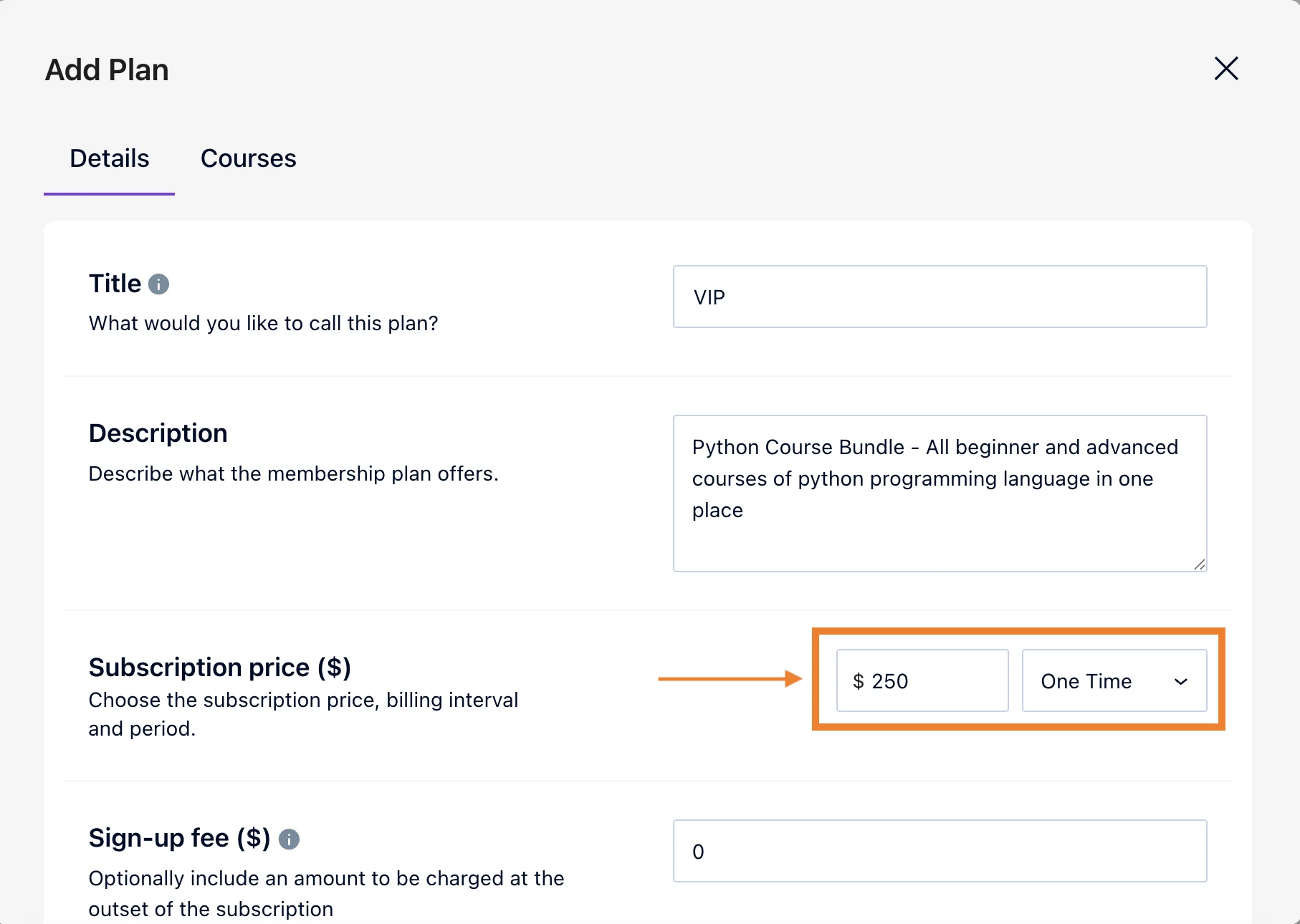
This approach positions your membership as a long-term learning environment, not just a content bundle.
2. Use Tiered Membership Levels
Not every learner has the same goals, budget, or learning style. That’s why tiered membership models work really well in eLearning.
By offering multiple membership levels, you let learners choose the experience that fits them best.
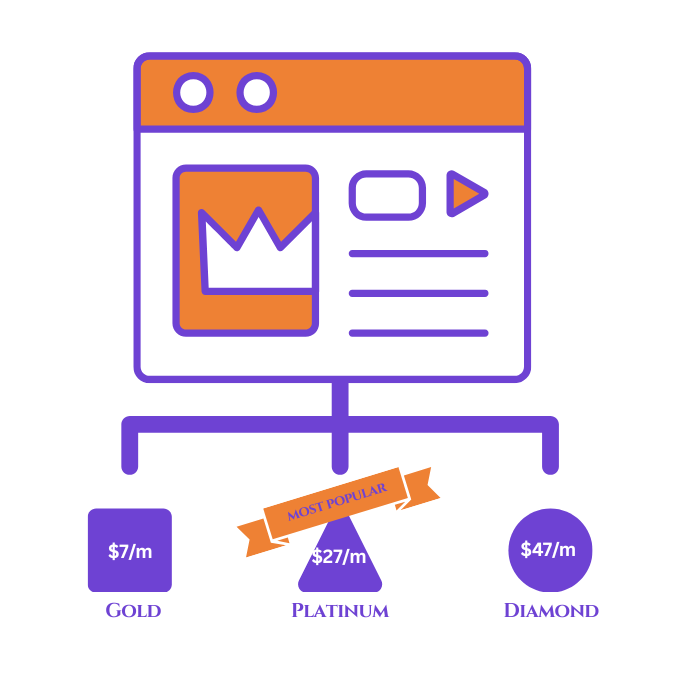
Here’s how you can structure the membership models:
- Gold: Access to core courses and essential resources.
- Platinum: Advanced lessons, premium content, and deeper learning paths.
- Diamond: Live sessions, group coaching, direct feedback, or priority support.
Example: You may offer a “Gold” plan for self-paced learners, a “Platinum” plan with advanced quizzes and certificates, and a “Diamond” plan that includes monthly live coaching calls.
Tiered models increase accessibility while also boosting revenue from learners who want more personalized support.
3. Drip Content Instead of Releasing Everything at Once
One common mistake in online learning is overwhelming students with too much content upfront.
Membership models are ideal for drip content delivery, where lessons or modules are released gradually over time. This helps learners stay focused and motivated.

You can drip content by:
- Weekly or monthly lesson releases
- Unlocking modules after previous lessons are completed
- Time-based access for challenges or learning tracks
Example: A 12-week design membership could release one module per week, combining lessons, exercises, and assignments. This pacing will help your learners build real skills instead of binge-watching content and dropping out.
Drip delivery supports consistency, reduces burnout, and keeps members engaged longer.
4. Combine Courses with Community (Critical for Retention)
Content alone is rarely enough to keep learners subscribed long-term. What truly makes membership models powerful is community-driven learning.
By adding a community layer to your membership, you give learners a place to:
- Ask questions and get help.
- Share progress and wins.
- Learn from peers, not just instructors.
- Stay accountable and motivated.
- Join events for more advanced peer-to-peer communication.
Community can be delivered through forums, private groups, and discussion boards.

Example: An eLearning membership for creators could include a private community where members share content ideas, get feedback, and participate in monthly challenges. Even after finishing courses, many members stay purely for the community value.
Community transforms your membership from just a course subscription into a belonging experience and contributes to improving retention.
5. Add Regular Content Updates
A membership should feel dynamic—not static.
Regular updates remind members that they’re paying for ongoing value, not outdated material. These updates don’t need to be massive courses every time.
You can add value through:
- New lessons or mini-courses.
- Updated examples or case studies.
- Tool walkthroughs or feature updates.
- Member-requested content.
Example: If you run a tech or software-related eLearning membership, you might release short updated lessons whenever tools or best practices change. This keeps your content relevant without reselling a new course.

Consistent updates give members a reason to stay subscribed month after month. In fact, you may charge a very low amount for making them subscribe. A small amount of subscription charge attracts actual learners, and they wouldn’t feel like unsubscribing as you’re consistent.
6. Use Memberships for Skill Progression
Membership models work best when learners can clearly see how they will progress over time.
Instead of isolated courses, design your membership around structured learning journeys such as:
- Beginner → Intermediate → Advanced tracks.
- Role-based paths (e.g., creator, marketer, manager).
- Monthly themes or focus areas.
- Certify them to showcase their achievements on social media.

Example: A business skills membership could guide learners from foundational concepts to advanced strategies over several months, with milestones and certificates marking progress.
Clear progression keeps learners motivated and makes it easier for them to justify staying subscribed.
7. Support Members with Live Experiences
Live classes and live events significantly increase the perceived value of a membership. Even if they’re offered only once or twice a month, students and learners who are keen for knowledge find them extremely valuable.

Live elements can include:
- Monthly Q&A sessions
- Live workshops or trainings
- Group coaching or feedback calls
- Live classes inside cohorts
Example: An online course membership might host a monthly live Q&A where members can ask questions about lessons they’re struggling with. These sessions often become the most valued part of the membership.
Live interaction adds a human touch, builds trust, and strengthens the creator–learner relationship.
Automate Access, Billing, and Onboarding
To scale a membership model successfully, automation is essential.
Your system should automatically handle:
- Member enrollment and access control
- Recurring payments and renewals
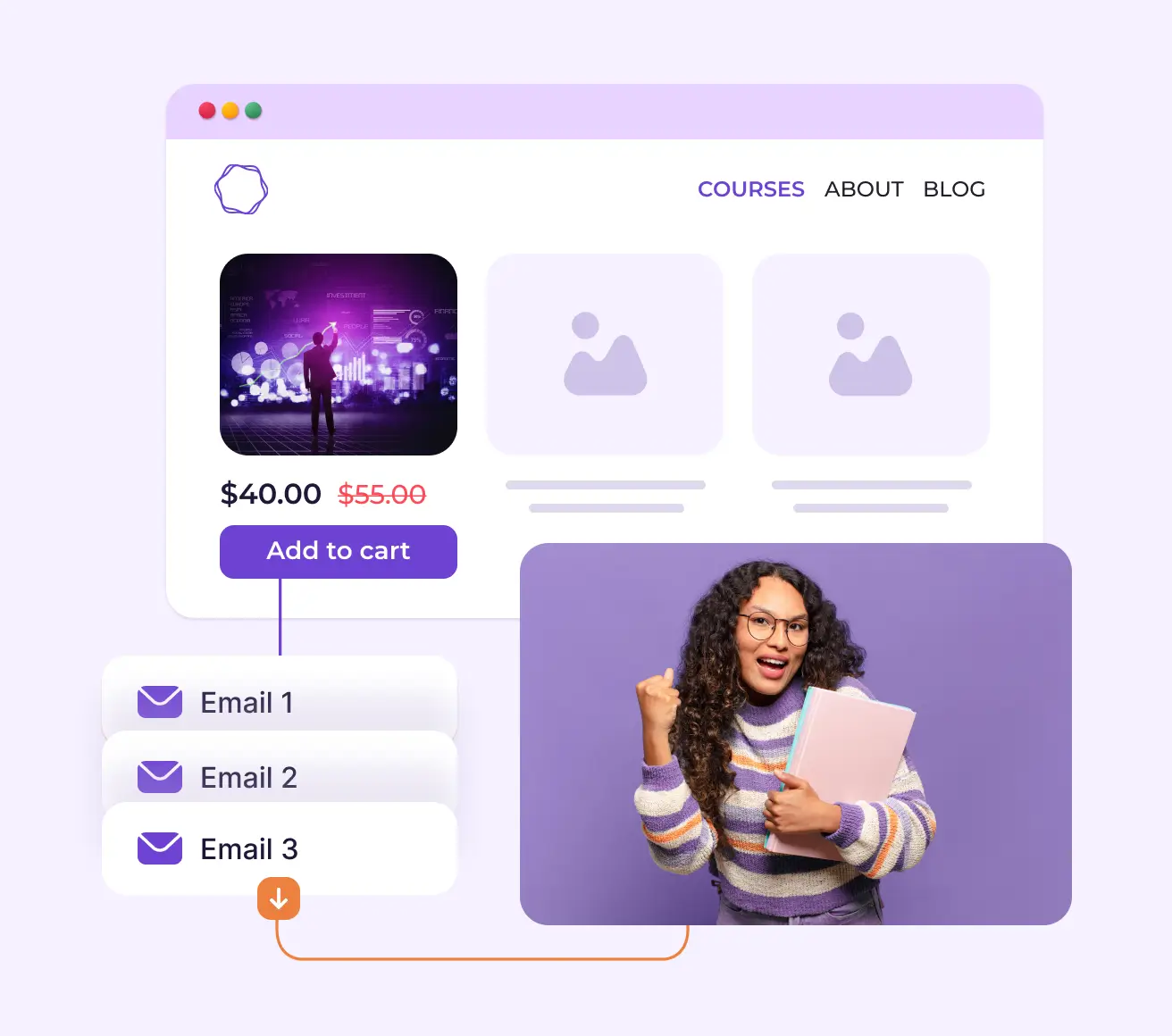
- Onboarding emails or walkthroughs
Example: When a new member joins, they can instantly receive access to courses, a welcome lesson, and community guidelines without any manual setup.
You can check out Mail Mint and Creator LMS integration to set the entire up.
Final Thoughts
Using membership models for eLearning is about shifting from one-time teaching to long-term learner success.
When done right, memberships help you:
- Deliver continuous value
- Build engaged learning communities
- Create predictable, scalable revenue
If you want to grow an eLearning business that lasts and keeps learners coming back, membership models are one of the most effective ways to do it.
In Creator LMS, we offer all types of memberships and subscription without depending on any external tools. You can try it out.
Frequenty Asked Questions
What is a membership example?
Like music services, and news services you can create memberships for eLearning business. Here, you can sell bundled courses, tiered based courses etc.
How does memberships work win eLearning?
eLearning membership models provide recurring revenue through gated access to exclusive content, typically using subscriptions (monthly/annual) for unlimited access or tiered access (Freemium), with popular types including the Netflix-style “all-you-can-learn,” community-focused “Insider’s Circles,” “dripped content” for staged release. and hybrid models combining subscriptions with one-off sales for courses.