

In this guide, you will learn how to translate Creator LMS plugin strings into any language. To get started, make sure you have:
- Creator LMS is installed and activated on your WordPress site.
- A translation plugin such as Loco Translate, WPML, or any other translation tool that supports WordPress strings.
In this documentation, we will show you how to translate Creator LMS strings using the Loco Translate plugin.
Step 1: Install and Activate the Required Plugins
- Install and activate the Creator LMS and Loco Translate plugins from your WordPress dashboard.
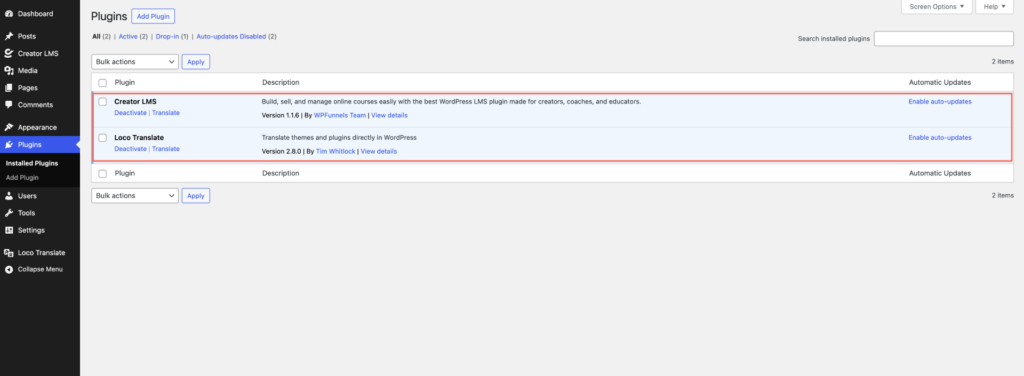
Step 2: Open Loco Translate Settings
- Go to Loco Translate → Plugins from your WordPress dashboard, and find and select Creator LMS from the list of plugins.
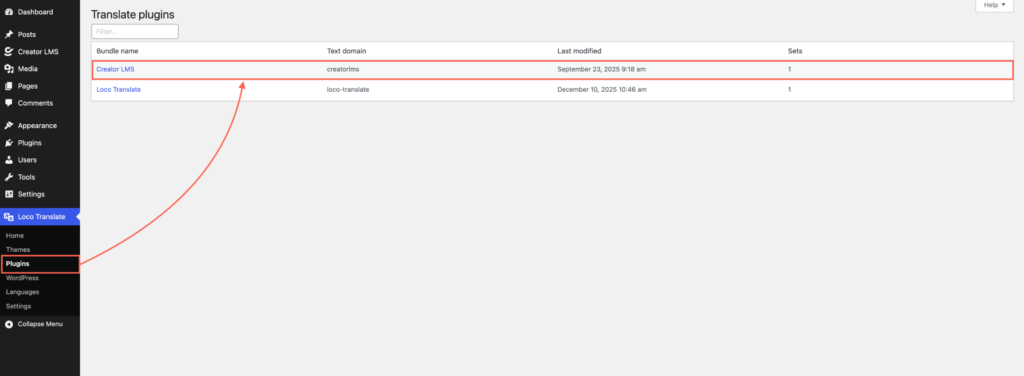
Step 3: Add a New Language
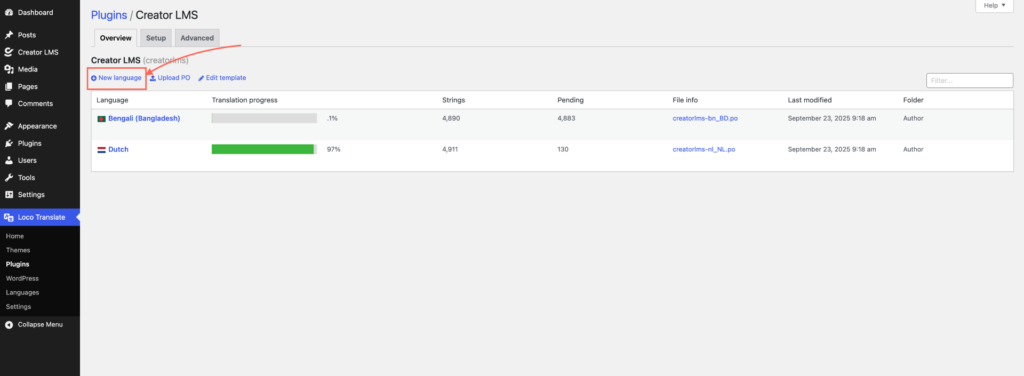
- After selecting the plugin, click on “New Language”.
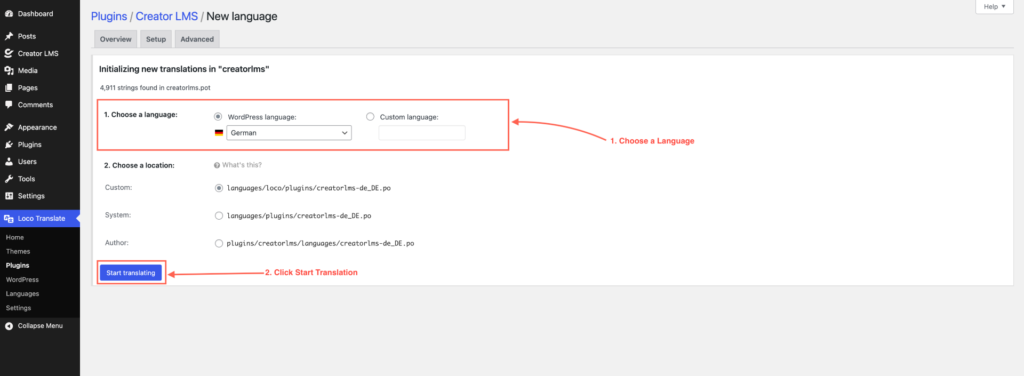
- Select the language you want to translate into (example: German). Note: Make sure your WordPress site language is already set to the same language under Settings → General → Site Language.
Step 4: Translate the Strings
Loco Translate offers two options:
Option 1: Auto Translation (Using an API)
If you have an API key for automatic translations, you can speed up the process. You can follow Loco Translate’s documentation for setting up automatic translations. (Using Automatic translation, using any API)
Option 2: Manual Translation
- Search for the string you want to translate (for example: “Buy Now“).

- Click the string, and add your translated text in the “Translation” field.

Step 5: Check the Translation on Your Site
- Refresh the course page or the location where the text appears. You should now see the translated string (e.g., “Buy Now” will display in German).
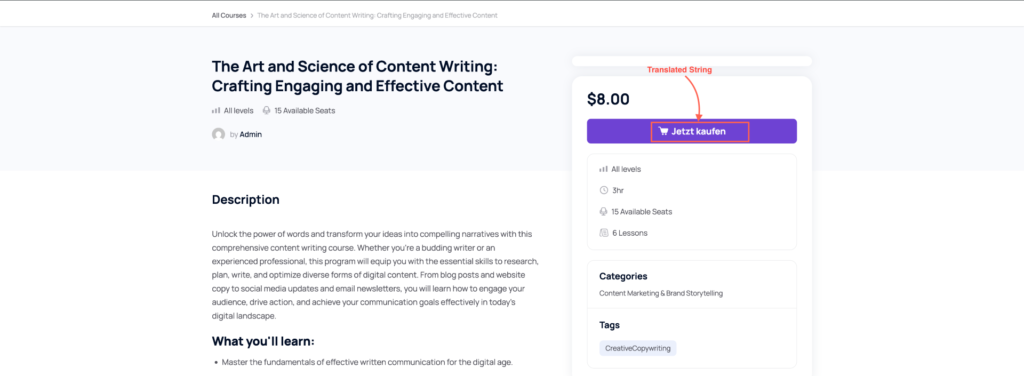
By following these steps, you can translate any Creator LMS string into any language you prefer. Loco Translate makes it easy to manage translations and localize your LMS for global learners.
