

In this guide, you’ll learn how to configure and customize permalinks in Creator LMS. Permalinks define the URLs of your Creator LMS pages and help you structure them in a way that fits your site and SEO needs.
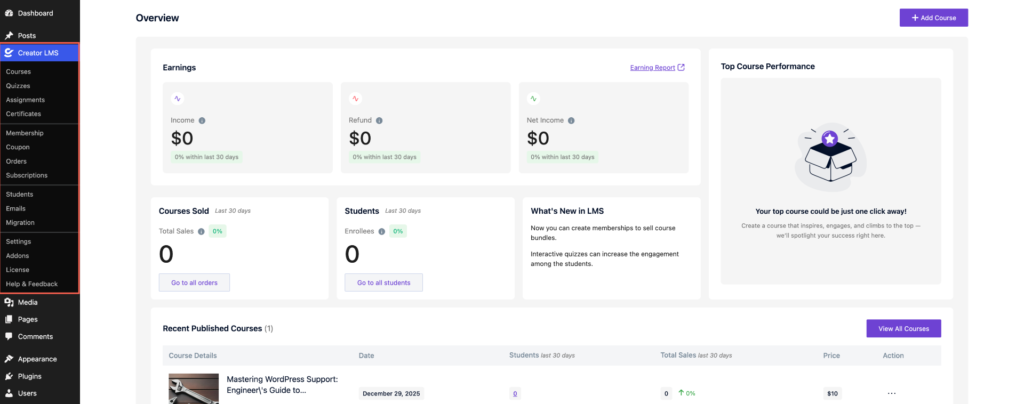
- Log in to your WordPress admin dashboard. Navigate to Creator LMS → Dashboard.
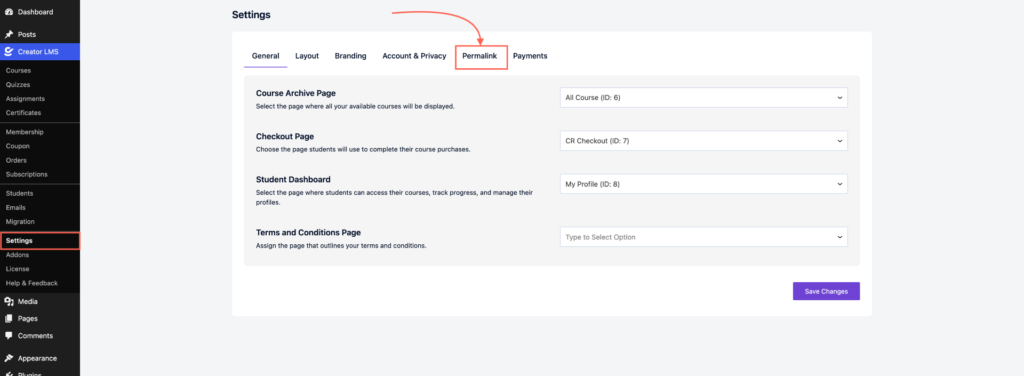
- Go to Creator LMS → Settings, and then click on Permalink.
- You’ll see the default permalinks for Creator LMS pages. Edit or customize the permalink structure as needed.

- Save your changes.

That’s it! You’ve successfully configured permalinks in Creator LMS.
