

In this guide, you’ll learn how to purchase a course using reward points in Creator LMS.
Creator LMS includes a Gamification feature that allows learners to earn reward points for different activities. If you have already earned enough points, you can use them to purchase courses instead of paying with money.
Let’s walk through how it works step by step.
Step 1: Enable the Gamification Addon
- Go to Creator LMS → Addons and locate the Gamification addon.
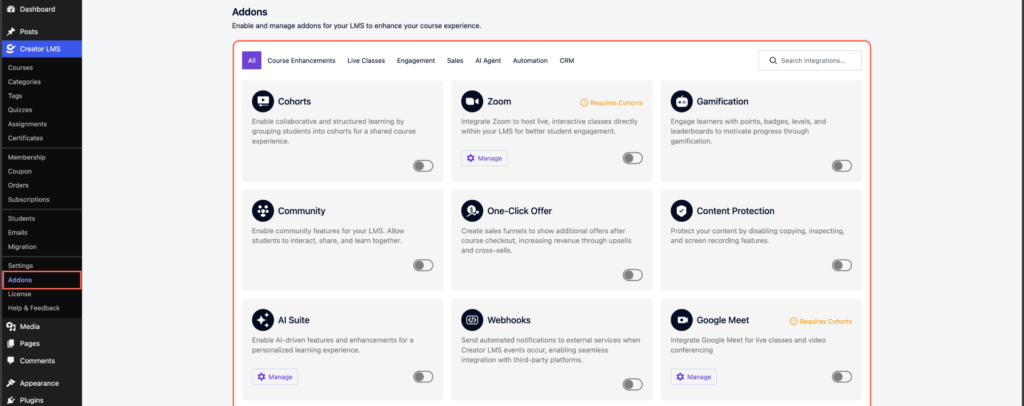
- Enable the toggle to activate it. Once enabled, you’ll see Gamification options appear in the Creator LMS sidebar
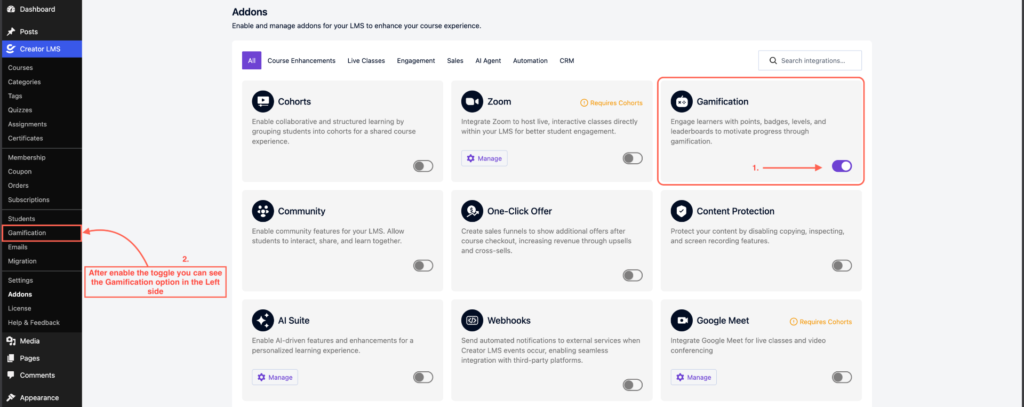
Step 2: Configure Reward Points for Course Purchases
- Click on Creator LMS → Gamification from the sidebar. You’ll be taken to the Gamification settings page, where you’ll find multiple options.

- Open the Rewards section.
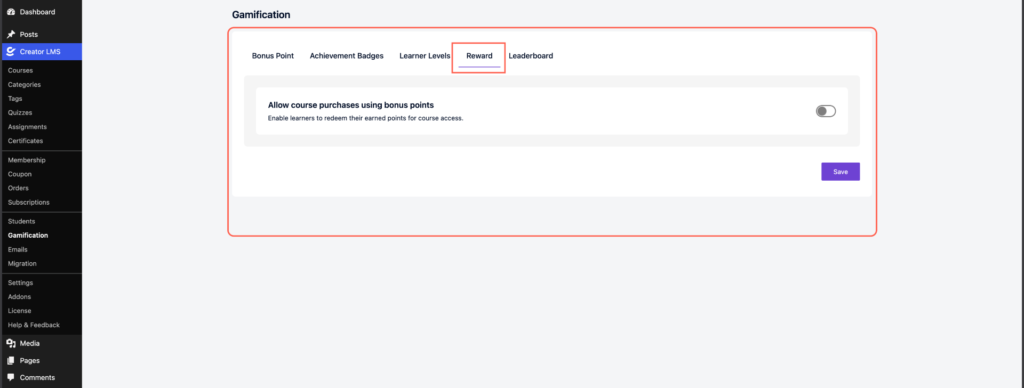
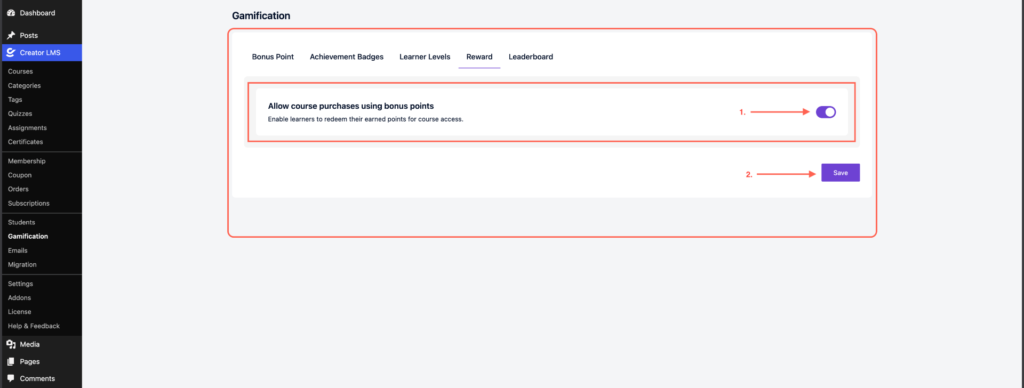
- Enable the toggle for “Allow course purchases using bonus points.” Save your changes.
Step 3: Set Reward Points for a Course
- Go to Creator LMS → Courses.

- Open the course you want to allow purchases with reward points. In the Course Settings, find the option to set the required reward points.
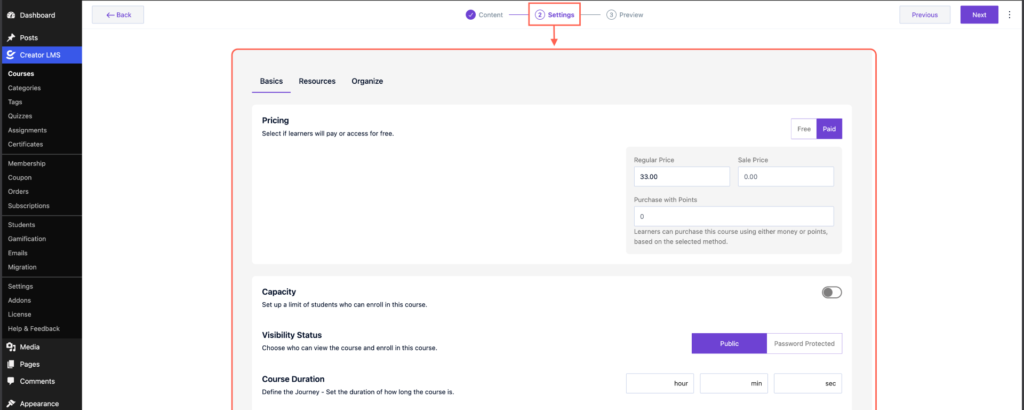
- Enter the number of points needed to purchase the course (for example, 200 points). Click Save Changes.

Step 4: Purchase the Course Using Reward Points
- Visit the course Dashboard page by clicking on the Preview Page.

- You will see two purchase options:
- Purchase using the course price
- Purchase using reward points
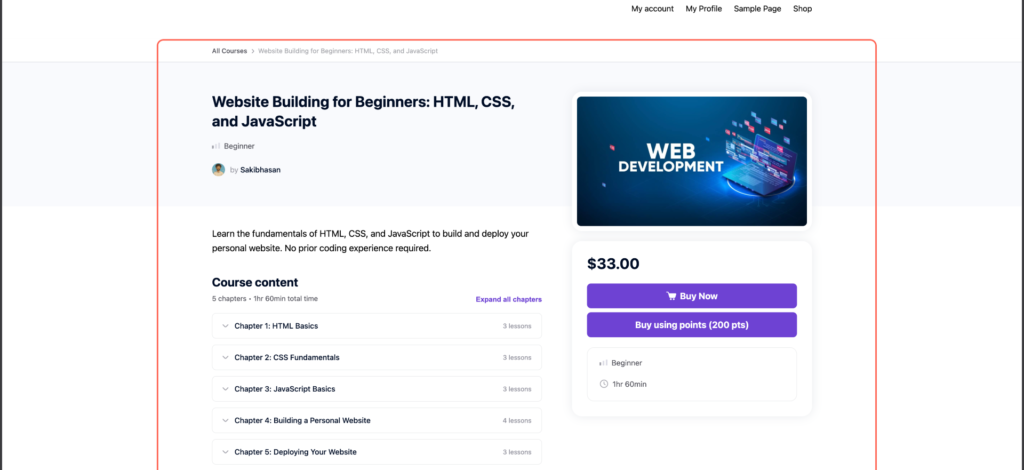
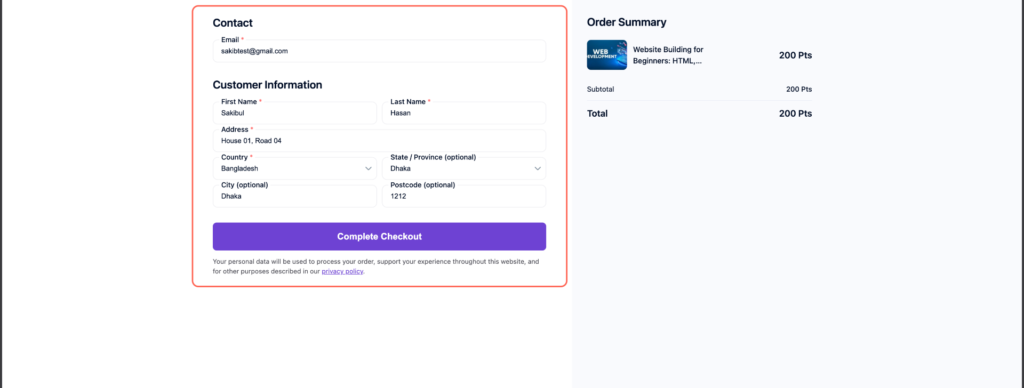
- If you have enough reward points, select the reward points option. Enter the required checkout details (name, email, address, etc.).
Important Notes
- Users must have enough reward points to purchase a course.
- Reward point purchases work only when the Gamification addon is enabled.
- The required reward points must be set per course.
